ADIC Laptop 3 User Manual Page 12

  • Download
  • Add to my manuals
  • Print
  • Page
    / 16
  • Table of contents
  • BOOKMARKS
  • Rated. / 5. Based on customer reviews
Page view 11
StorNext 3.0 Upgrade Guide
Document 6-01620-04 Rev A
March 2007
Upgrading to StorNext 3.0 (SNFS Only) 12
5 Click the option to accept the license agreement, and then click Next to
continue.
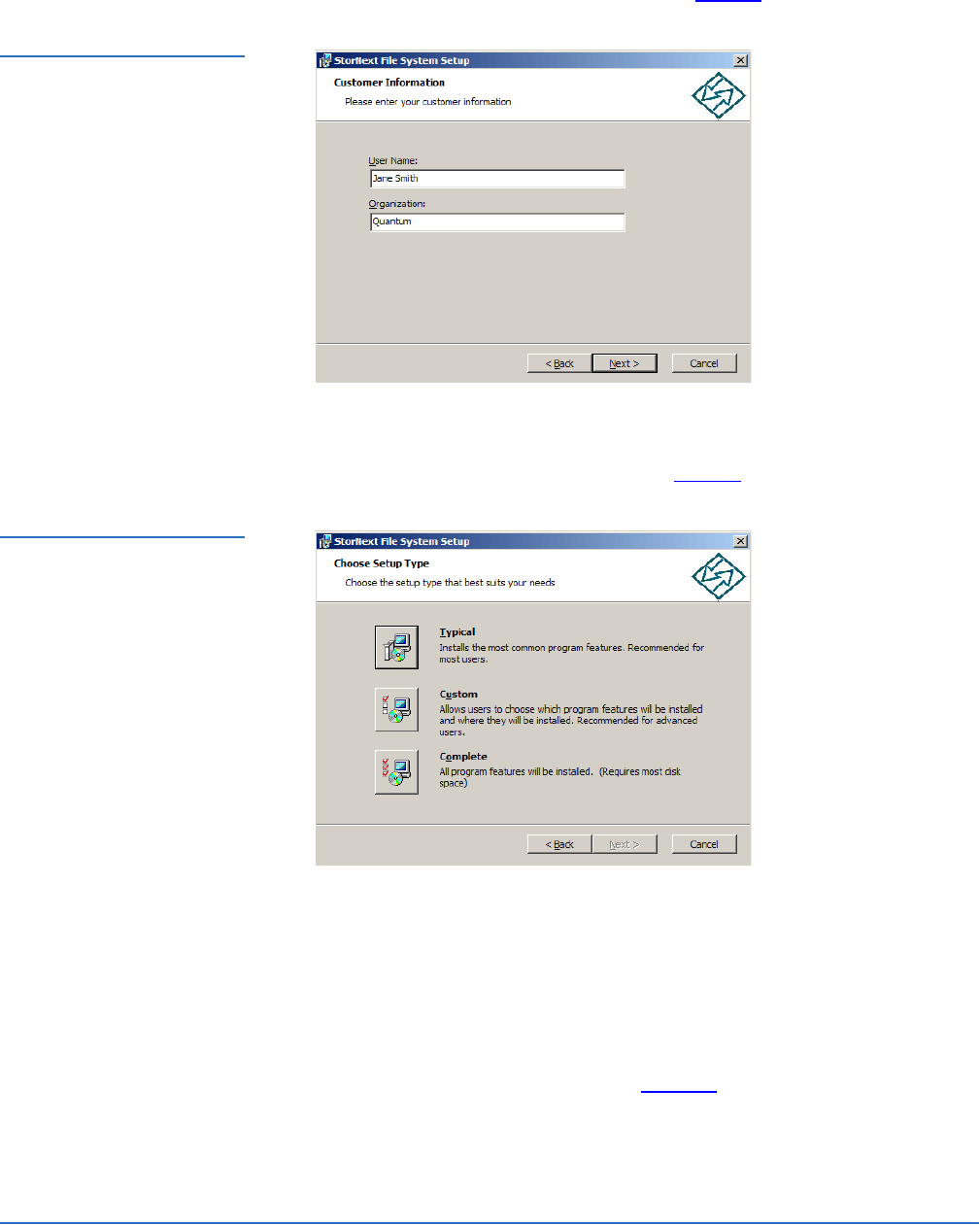
The Customer Information window appears (figure 8).
Figure 8 SNFS Setup:
Customer Information
6 Type your name and the name of your company or organization in the boxes,
and then click
Next to continue.
The Choose Setup Type window appears (figure 9).
Figure 9 SNFS Setup: Choose
Setup Type
7 Click an installation option:
Typical: (Recommended) Installs StorNext File System, client software,
and help files in the default location (
C:\Program Files\StorNext).
Custom: Lets you choose which components to install and specify an
installation location. When ready, click
Next.
Complete: Same as a typical installation.
The Ready to Install window appears (figure 10).
Page view 11
1 2 ... 7 8 9 10 11 12 13 14 15 16

Comments to this Manuals

No comments