ADIC DLT 7000 Specifications Page 14
- Page / 68
- Table of contents
- BOOKMARKS

- FastStor 1
- Copyright Notice 2
- Copyright Notice (Europe) 3
- Regulatory Notices 4
- CE Notice 5
- VCCI Notices (Japan Only) 5
- Safety Notices 7
- Table of Contents 9
- Quick Start Guide 11
- Blank Page 16
- Chapter 17
- Equipment Description 18
- Features 19
- DLT Drives 20
- Options 20
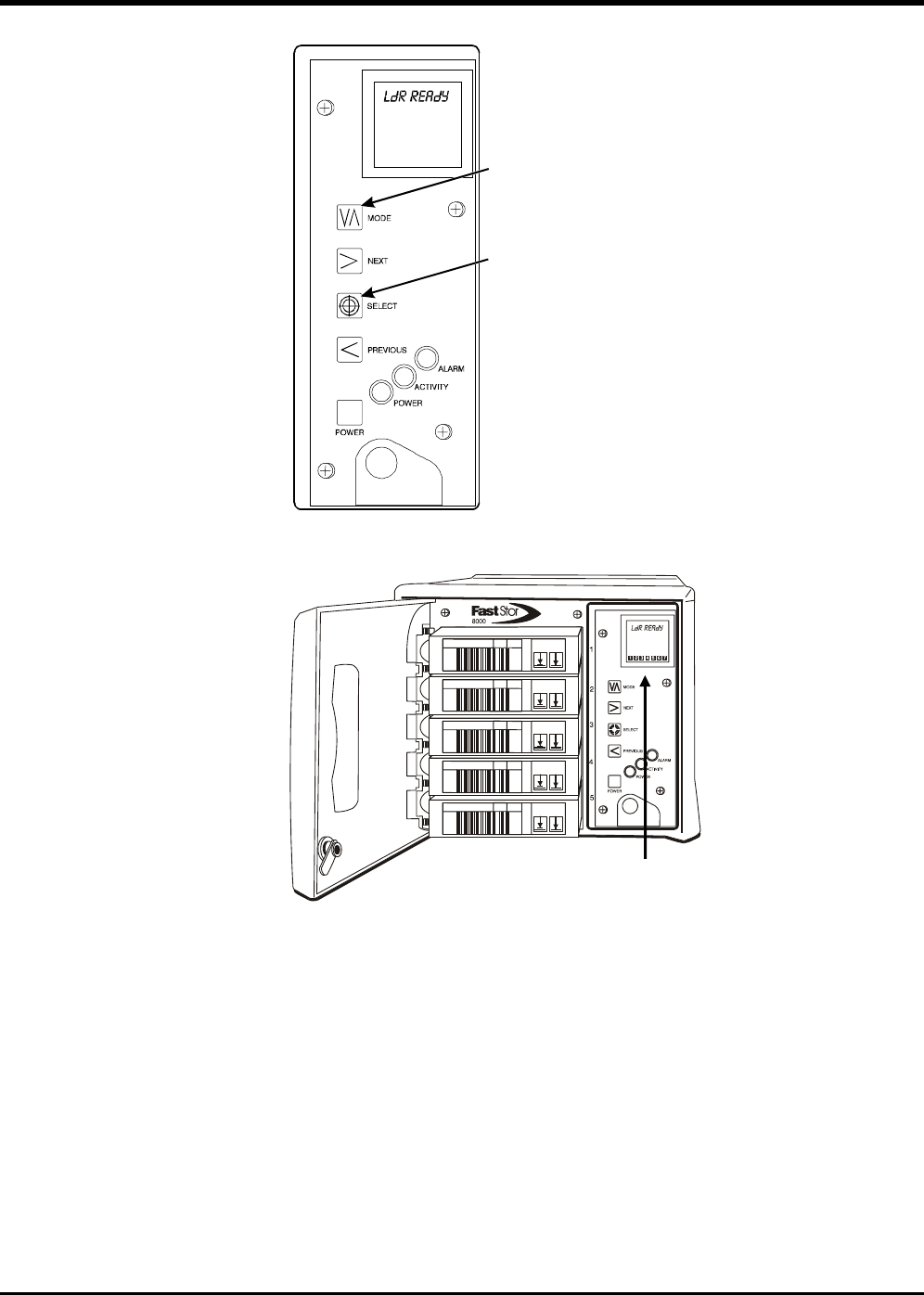
- Switches and Indicators 21
- L r rea y 23
- DLT Media 25
- Other Requirements 26
- Unpacking and Inspecting 28
- Installing the Host Adapter 28
- SCSI Terminator 29
- SCSI Cable 29
- Normal Operations 32
- L r init 33
- Drive Status Messages 36
- FastStor Modes 37
- Loa rv 38
- SRC slot 38
- SRC slot N 40
- SRC slot n 41
- EJECT PCKR 42
- DENSITY 43
- Set scsi 44
- L r scsi 44
- L r I x 45
- Cycle pwr 45
- Normal Maintenance 46
- Cleaning the Enclosure 48
- Installation Problems 50
- DIAGNOSTIC MENU 50
- DISPLAY FIRMWARE 51
- Sign on 54
- Chg mo e 55
- Cycle TEST 56
- CycleS 56
- CLEAN RV 56
- Ct 2 (Sel) 57
- Cleaning 57
- RMV 2 (Sel) 57
- AUTOCLEAN 58
- CT 2 (SEL) 58
- CYCLE AC 59
- RMV 2 (SEL) 60
- SP cOUNTS 60
- (000000XX) 62
- UPG rv fw 62
- Ct 2 (sel) 62
- Rmv 2 (sel) 63
- FastStor Error Messages 64
- Environmental Considerations 65
- Appendix 67
© 2020, manymanuals.com. All rights reserved. | 0.019 s |
 Manymanuals.com
 Manymanuals.de
 Manymanuals.fr
 Manymanuals.it
 Manymanuals.pl
 Manymanuals.cz
 Manymanuals.es
 Manymanuals-pt.com
Comments to this Manuals